Why a ConfigMap Change Doesn't Update Pod Environment Variables
Reproduce why a ConfigMap update leaves an existing Pod environment unchanged, then refresh the value the supported way.
By Network Nuts · Published 2026-10-22
Updating a ConfigMap does not live-edit environment variables inside an already running Pod. When you consume ConfigMap data through env or envFrom, Kubernetes sets those values when the container process starts, so the old Pod keeps the old value until Kubernetes creates a replacement Pod. This lab reproduces that exact behavior on a disposable kind cluster, then shows the supported fix and briefly contrasts mounted ConfigMap files with environment injection using the current Kubernetes docs (Updating Configuration via a ConfigMap, ConfigMaps).
Lab environment
This walkthrough uses the verified lab for the Certified Kubernetes Administrator course at /trainings/certified-kubernetes-administrator-cka/.
- Host OS: Ubuntu 26.04 LTS
- Runtime: disposable single-node
kindcluster on Docker - Kubernetes server: v1.37.0
kubectl: v1.37.1kind: v0.33.0- Pod image:
busybox:1.37.0pinned by digest inpod.yaml - Workflow: Bash,
kubectl, and YAML
This is a safe local lab. The cluster is disposable, the API server binds to 127.0.0.1, and cleanup removes only the named example cluster plus its temporary kubeconfig.
Prerequisites
You need:
- Docker Engine
kindkubectl- Bash
- A fresh working directory
- The lab source bundle opened in that directory
Use the provided files from the source bundle: setup.sh, kind-config.yaml, pod.yaml, and cleanup.sh. Keep this exercise on a disposable cluster only. Do not point KUBECONFIG at a production or shared environment.
Create the disposable cluster
Start the cluster and namespace with the provided setup script, then point your shell at the disposable kubeconfig:
bash setup.sh
export KUBECONFIG="$PWD/lab-kubeconfig"
kubectl config current-context
In the verified run, the context check returned kind-nn-blog-lab before this walkthrough created the ConfigMap and Pod. That matters because it confirms the later results came from the disposable lab cluster, not from some other context.
Create a ConfigMap and inject one key into a Pod environment variable
The Kubernetes ConfigMap model is simple: a ConfigMap stores non-confidential key-value data, and Pods can consume that data in several ways, including environment variables and files in a volume (ConfigMaps). The current task documentation also shows both environment-variable styles readers often mix up:
envwithvalueFrom.configMapKeyReffor one specific keyenvFromto expose all keys from a ConfigMap as environment variables (Configure a Pod to Use a ConfigMap)
This lab uses the narrower configMapKeyRef pattern because it makes the before-and-after result obvious.
Create the ConfigMap:
kubectl -n article-demo create configmap app-settings --from-literal=mode=blue
Now inspect the Pod manifest from pod.yaml:
apiVersion: v1
kind: Pod
metadata:
  name: config-reader
  namespace: article-demo
spec:
  containers:
  - name: reader
    image: busybox:1.37.0@sha256:bdf57e528e45e4433820e045b29b4597825a1c9e38353532d90a01445013f82e
    imagePullPolicy: IfNotPresent
    command: ["sh", "-c", "sleep 3600"]
    env:
    - name: APP_MODE
      valueFrom:
        configMapKeyRef:
          name: app-settings
          key: mode
The important part is the env block. Kubernetes will read the mode key from the app-settings ConfigMap and place that value into the container environment as APP_MODE when the container starts.
Apply the manifest, wait for readiness, and print the environment variable from inside the container:
kubectl apply -f pod.yaml
kubectl -n article-demo wait --for=condition=Ready pod/config-reader --timeout=90s
kubectl -n article-demo exec config-reader -- printenv APP_MODE
Observed result in the verified lab:
blue
That is the expected starting point. The Pod came up, the container process started, and APP_MODE was set to blue from the ConfigMap.
Change the ConfigMap and verify the running Pod does not change
Now patch the ConfigMap so the stored value becomes green:
kubectl -n article-demo patch configmap app-settings \
  --type merge \
  -p '{"data":{"mode":"green"}}'

kubectl -n article-demo get configmap app-settings -o jsonpath='{.data.mode}'
printf '\n'
In the verified run, the patch succeeded and the jsonpath check printed green. So the Kubernetes API object definitely changed.
Next, check the environment variable in the existing Pod again:
kubectl -n article-demo exec config-reader -- printenv APP_MODE
Observed result:
blue
This is the exact behavior that surprises people during troubleshooting: the ConfigMap object now says green, but the running container still says blue.
The Kubernetes tutorial states this directly: when the source data changes, environment variables for a process already running inside a Pod are not updated; to force the new value in, Kubernetes needs to replace the Pod so that a new container process starts with the updated information (Updating Configuration via a ConfigMap).
That gives you a useful mental split:
- ConfigMap object state changed successfully in the API.
- Process environment inside the old container did not change.
So kubectl get configmap and kubectl exec ... printenv can honestly disagree at the same moment.
Why this happens
Kubernetes is not rewriting a live Unix process environment. It is supplying environment data at container start time. That is why the rule is the same for both common environment-injection patterns: a single key via env.valueFrom.configMapKeyRef, or all keys via envFrom. The current task page shows both patterns, and the update tutorial explains that existing process environments do not change in place (Configure a Pod to Use a ConfigMap, Updating Configuration via a ConfigMap).
There is also an operational consequence worth remembering. If some Pods are replaced later for unrelated reasons, newer Pods can start with the new ConfigMap-backed environment while older Pods keep the old value. That means a workload can temporarily run a mix of old and new configuration until you complete a rollout (Updating Configuration via a ConfigMap).
Replace the Pod and confirm the new value appears
Because this lab uses a standalone Pod, the fix is simply to replace that Pod:
kubectl -n article-demo delete pod config-reader --wait=true
kubectl apply -f pod.yaml
kubectl -n article-demo wait --for=condition=Ready pod/config-reader --timeout=90s
kubectl -n article-demo exec config-reader -- printenv APP_MODE
Observed result after recreation:
green
Now the Pod sees green because Kubernetes started a new container process and populated its environment from the current ConfigMap value.
For a managed workload such as a Deployment, the supported refresh pattern is a rollout restart rather than hand-deleting individual Pods:
kubectl rollout restart deployment/<name>
kubectl rollout status deployment/<name> --watch=true
The current kubectl reference documents rollout restart as the restart mechanism for rollout-managed resources such as Deployments, DaemonSets, and StatefulSets (Kubectl Reference Docs).
Do not confuse environment variables with mounted ConfigMap files
This troubleshooting issue becomes much easier once you separate two different ConfigMap consumption paths.
ConfigMap consumed as environment variables
When a Pod uses env or envFrom, the ConfigMap data becomes container environment variables. Existing Pods do not receive live updates to those variables. To pick up the new value, you need a new Pod so the container starts again with a new environment (Configure a Pod to Use a ConfigMap, Updating Configuration via a ConfigMap).
ConfigMap mounted as a volume
Mounted ConfigMap files behave differently. The current concepts documentation says that when a ConfigMap already consumed in a volume is updated, projected keys are eventually updated too. The kubelet checks freshness during periodic sync, uses a local cache, and the total delay can be as long as the kubelet sync period plus cache propagation delay; the exact behavior depends on the kubelet change-detection strategy (ConfigMaps).
That is narrower, and more accurate, than saying volume updates happen instantly. They do not. They are eventually refreshed through the kubelet path.
Even then, your application still has to cooperate. If the process reads a file only once at startup and never rereads it, the file on disk may update without any practical behavior change in the application. Kubernetes can refresh the mounted data path; it cannot force your process to reload it.
Practical rule of thumb
If you need a quick decision rule during design or incident response, use this one:
- Use environment variables for startup-time settings that can tolerate a Pod restart.
- Use mounted ConfigMap files when the application can reread configuration from disk or watch for file changes.
- If a workload uses ConfigMap-backed environment variables and you update the ConfigMap, plan a Pod replacement or rollout.
That rule matches the current Kubernetes documentation and the lab result you just reproduced.
Results
The verified lab ended with three checks: the original Pod read blue, the same Pod still read blue after the ConfigMap object changed to green, and the recreated Pod read green.
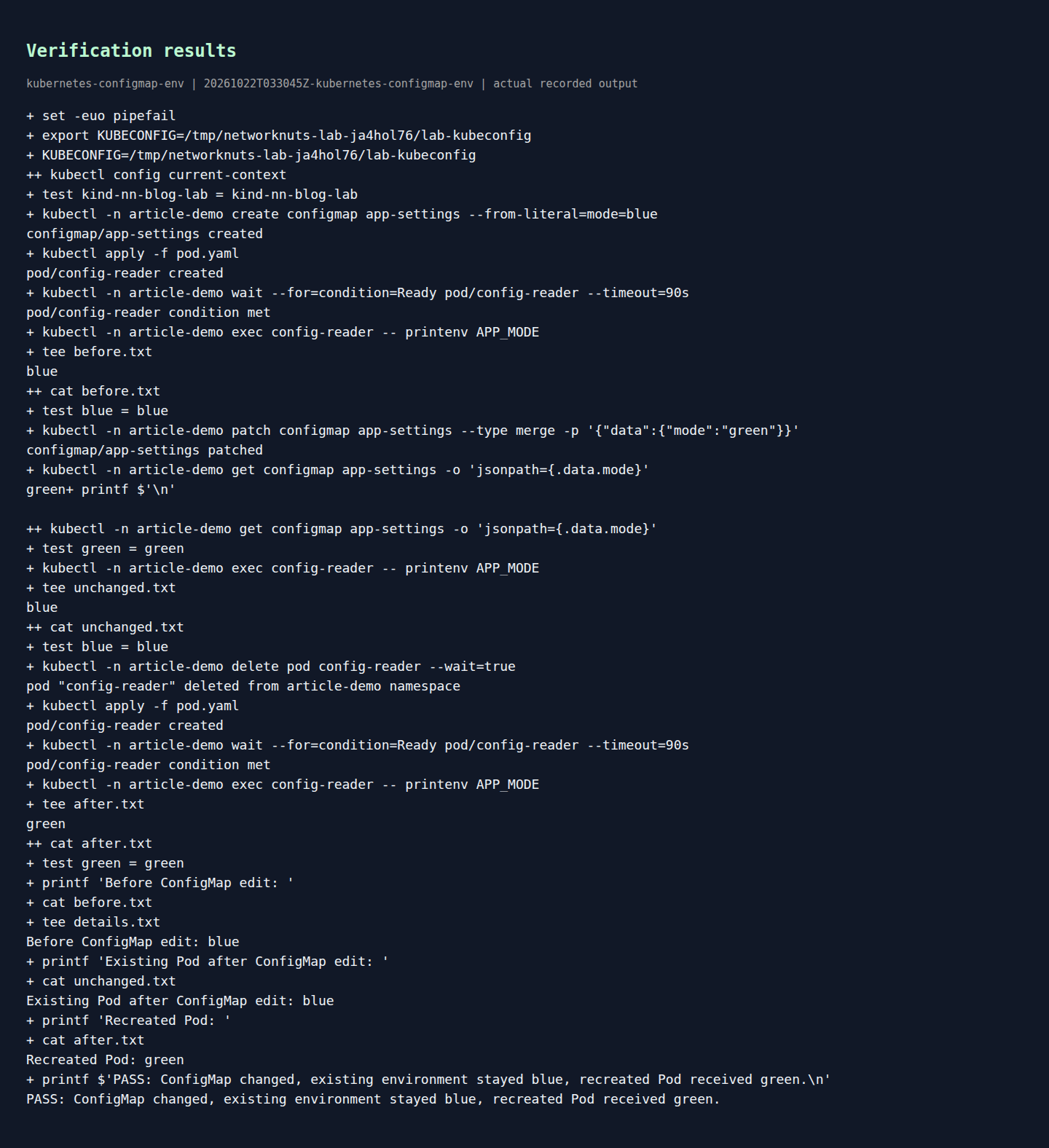
Rendered output from actual lab commands. Captured 22 October 2026, 09:00 IST. Open full-size image
Interpretation: the ConfigMap update succeeded, but the already running container kept its original process environment. Recreating the Pod caused Kubernetes to start a new process with the updated value.
Detailed evidence
The transcript proves the behavior step by step:
- Confirm the disposable context is
kind-nn-blog-lab. - Create
app-settingswithmode=blue. - Apply
pod.yamland wait forconfig-readerto become Ready. - Verify
APP_MODE=blueinside the container. - Patch the ConfigMap to
mode=greenand verify the API object now storesgreen. - Recheck the running Pod and observe it still prints
blue. - Delete and recreate the Pod.
- Verify the new Pod prints
green.
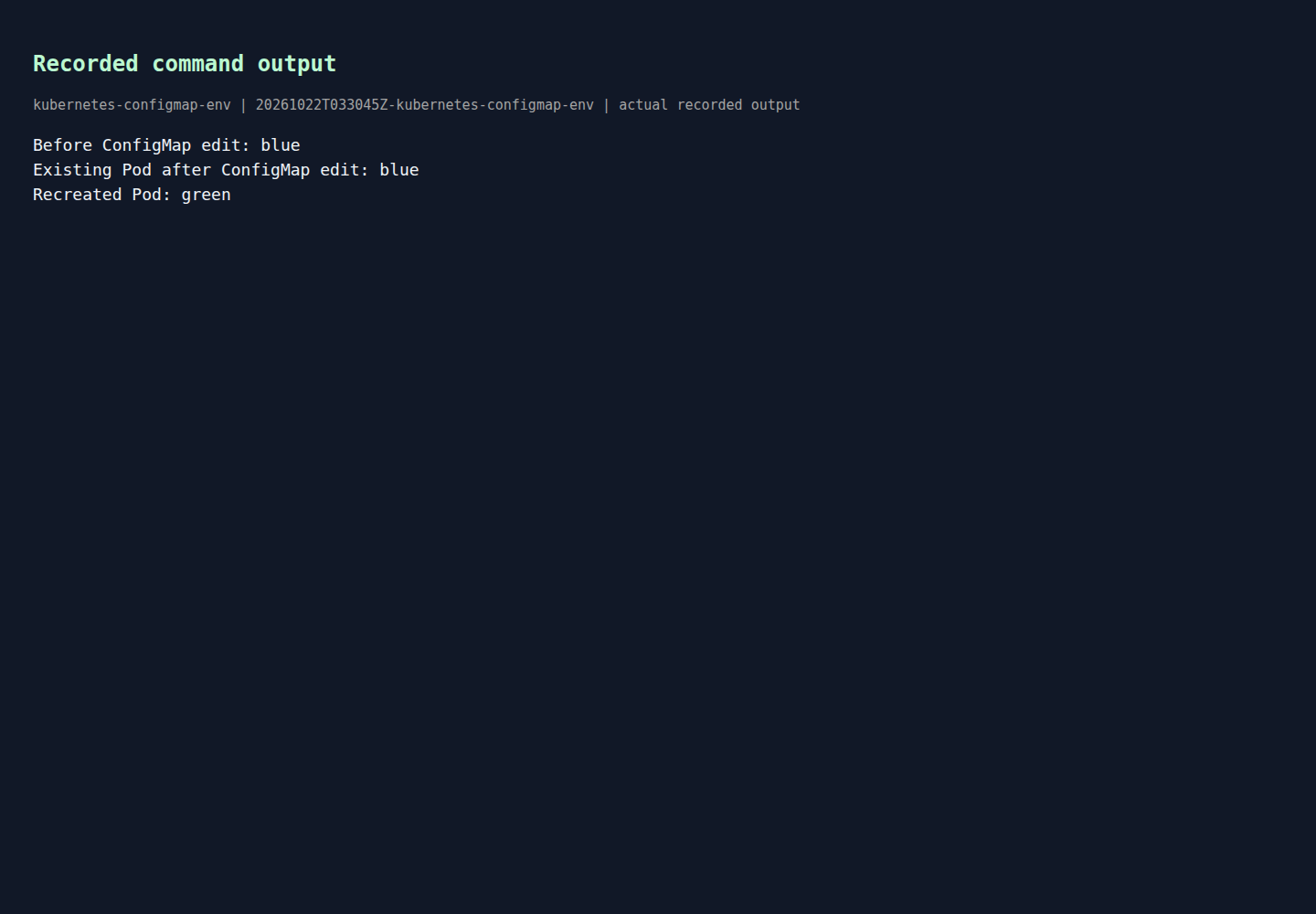
Rendered output from actual lab commands. Captured 22 October 2026, 09:00 IST. Open full-size image
That is the narrow proof you want when a team says, "the ConfigMap definitely changed, so why is the container still using the old setting?" In this case, the old value is normal Kubernetes behavior for environment-variable injection, not a failed patch.
Cleanup
Remove only the disposable lab cluster and local kubeconfig:
bash cleanup.sh
That cleanup removes the named kind cluster nn-blog-lab and deletes lab-kubeconfig. Because the cluster is disposable, the example namespace and workloads disappear with it.
Example source files
The supporting code and configuration on GitHub contain the complete example files discussed in this article.