Why umask 022 Makes Files 644 but Directories 755
Measure Linux creation modes and see why umask 022 yields 644 files and 755 directories, plus when default ACLs change the result.
By Network Nuts · Published 2026-10-19
The short answer is that umask does not start from the same base mode for everything. New regular files normally start from 0666, while new directories start from 0777, and then the mask clears bits from that base. This lab proves the outcome with measured results, then shows why 022 becomes 644 for files but 755 for directories. (docs.redhat.com)
Lab environment
This walkthrough uses the supplied verified lab evidence from a disposable Linux working directory:
- Ubuntu 26.04 x86_64
- 6 vCPU
- about 12 GB RAM
- Python 3.14.4
- GNU
find - temporary user-owned files only
The behavior demonstrated here is standard Linux file-creation behavior and aligns with Red Hat documentation, but the commands in this lab were tested on Ubuntu rather than RHEL.
Prerequisites
You need:
- a Linux shell
- Python 3
- GNU
find - a new empty working directory
- the tested
run.pyfile from this article's source bundle
Use a disposable folder. The script creates mask-022, mask-027, mask-077, and details.txt in the current directory, and the cleanup step removes only that folder.
The rule you are proving
Red Hat documents that new objects do not keep their raw base permissions. Instead, a base mode is assigned first and then umask removes permission bits from that base. In the same RHEL guide, the base mode for a new directory is shown as 777, while the base mode for a new file is 666; with the default 0022 mask, those become 755 and 644 respectively. The low-level Linux rules match that model: open(2) says a created file's mode is modified by the process umask, and mkdir(2) says the created directory mode is modified by umask in the usual way. (docs.redhat.com)
That is the key idea learners often miss: regular files do not normally begin life with execute bits requested, so you are not masking 0777 down to 0644. You are masking 0666 down to 0644. Directories do start from 0777, because directories need the execute/search bit to be traversable. (docs.redhat.com)
Set up the disposable lab
Open the linked source bundle for this article, copy run.py into a new empty folder, and run it there.
mkdir umask-lab
cd umask-lab
python3 --version
python3 run.py
The tested script does four useful things:
- sets process umasks of
022,027, and077one at a time - creates one directory and one file for each mask
- checks that the observed modes match the expected math
- changes one already-created file with
chmod 644to prove thatumaskaffects creation time, whilechmodchanges an existing object's mode later
That last point matters operationally. umask is a creation-time filter, not a persistent lock on a file's future permissions. Linux documents umask as a process attribute, and a process changes it for file-creation calls such as those described in umask(2), open(2), and mkdir(2). (man7.org)
Read the measured creation results
When the script runs successfully, it prints the creation-time results first.
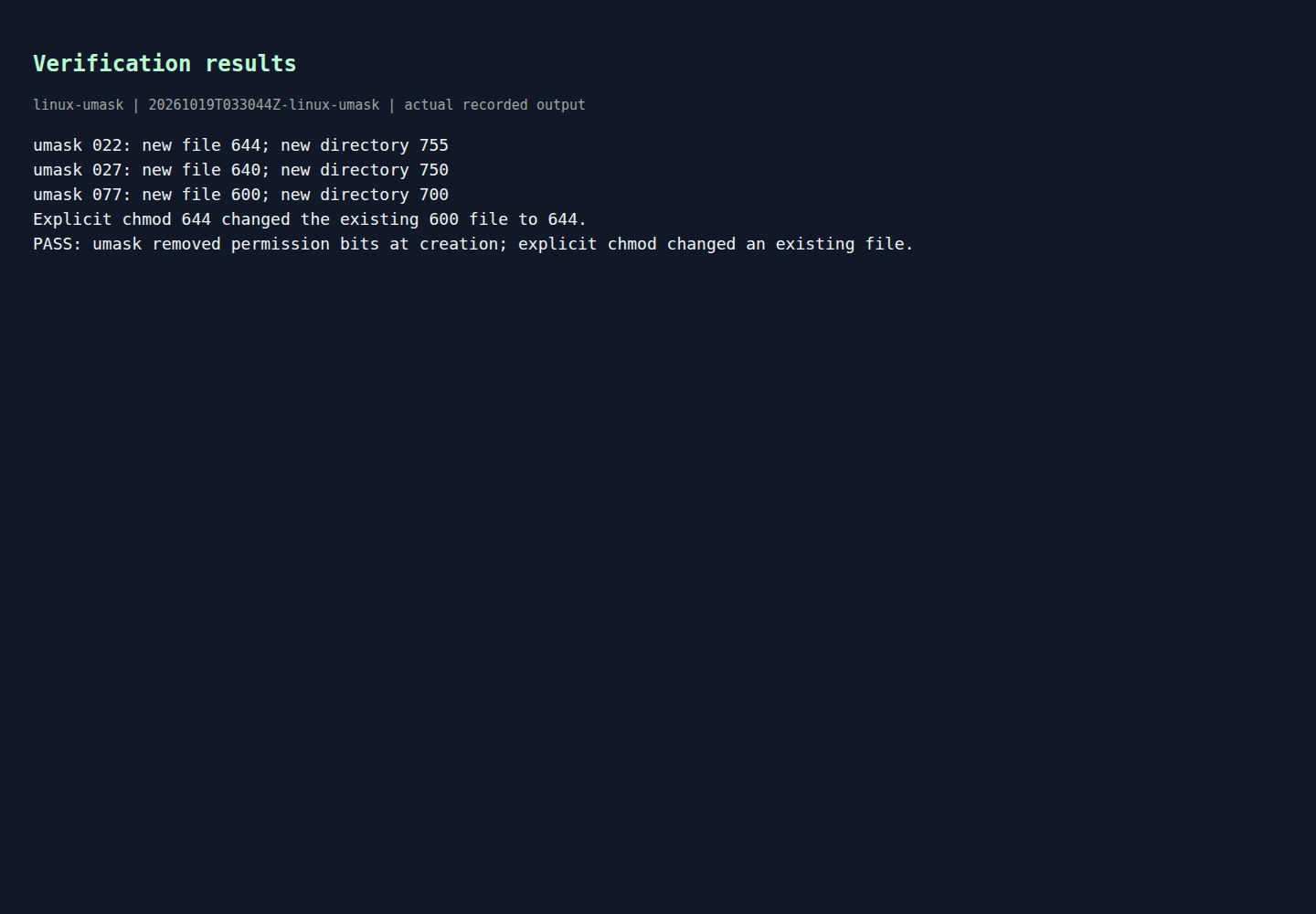
Rendered output from actual lab commands. Captured 19 October 2026, 09:00 IST. Open full-size image
Interpret those lines carefully:
umask 022produced a new file with mode644and a new directory with mode755umask 027produced640and750umask 077produced600and700- the final line confirms the lab logic passed its assertions
This is exactly what you should expect from the Red Hat base-mode explanation. For files, start from 666; for directories, start from 777; then clear the bits named by the mask. (docs.redhat.com)
Inspect the final filesystem state
The script also writes a details.txt file using find so you can inspect the resulting modes afterward.
cat details.txt
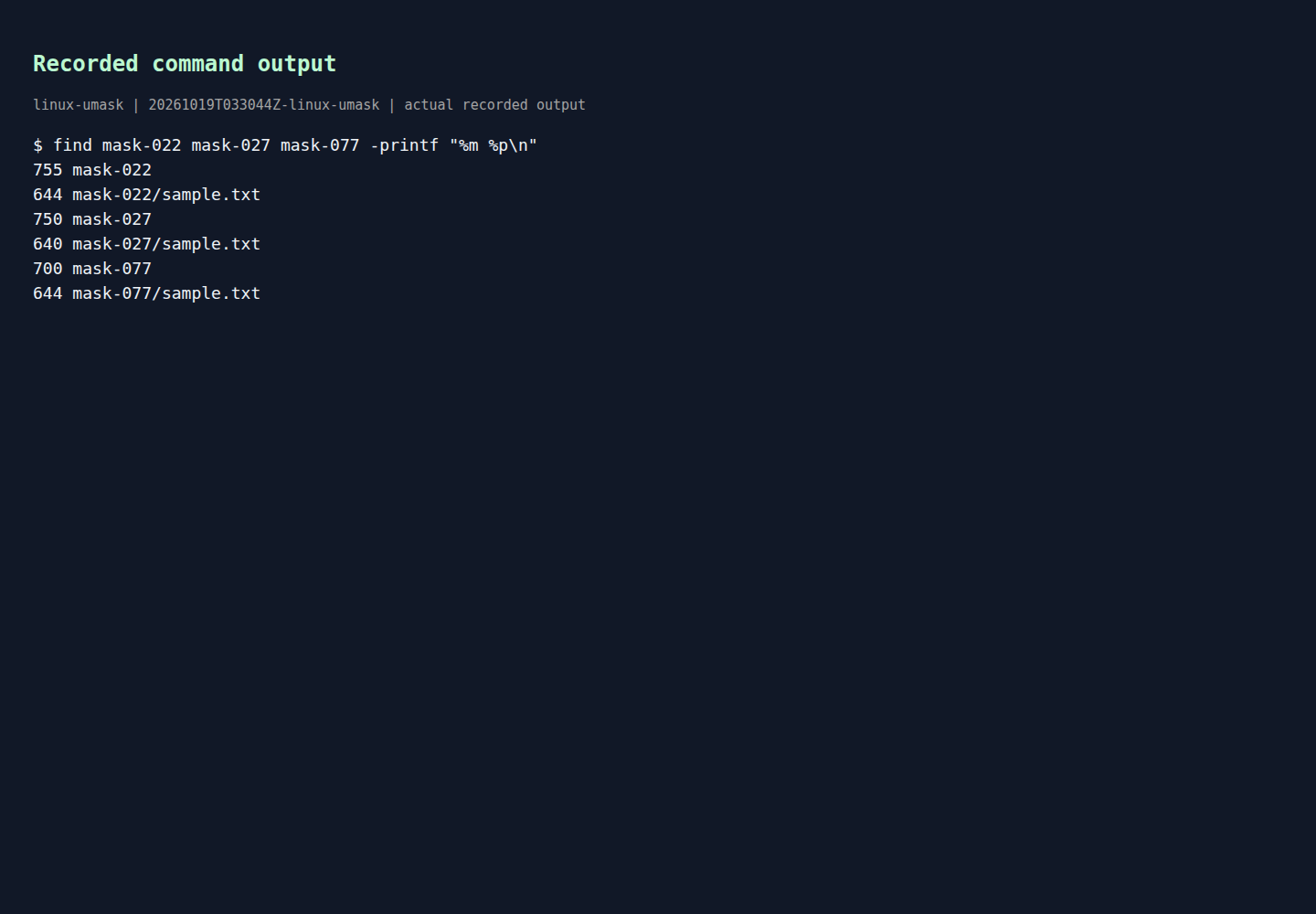
Rendered output from actual lab commands. Captured 19 October 2026, 09:00 IST. Open full-size image
This second output is useful because it shows one subtle but important detail: mask-077/sample.txt ended up as 644 in the final listing, even though it was originally created as 600.
That is not a contradiction. It is the deliberate chmod 644 step near the end of the script. The creation result was 600, which matches 0666 & ~0077. After creation, the script explicitly changed the existing file to 644. In other words:
umaskcontrolled the initial mode at creation timechmodchanged the mode later on an existing inode
That distinction helps when troubleshooting shared directories and automation. If a file lands with permissions that look too restrictive, you need to ask whether the issue happened at creation time because of the process umask, or afterward because some tool applied chmod.
Do the permission math by hand
Here is the same lab translated into octal arithmetic.
With umask 022
For a regular file:
0666 & ~0022 = 0644
For a directory:
0777 & ~0022 = 0755
That is why 022 creates 644 files but 755 directories. The file never started with execute bits to preserve or remove. Red Hat's permission guide shows exactly these base values and default outcomes for new files and directories. (docs.redhat.com)
With umask 027
For a regular file:
0666 & ~0027 = 0640
For a directory:
0777 & ~0027 = 0750
This is common when you want group access but no access for others.
With umask 077
For a regular file:
0666 & ~0077 = 0600
For a directory:
0777 & ~0077 = 0700
This is the private-by-default option many administrators use for sensitive user content.
The lab proves all three cases with created objects instead of leaving the explanation at theory alone.
Why files usually do not get execute bits by default
A common misconception is that umask 000 should make a new text file 777. In normal file creation, that is not how it works. Red Hat's documentation treats new regular files as starting from 666, not 777, and open(2) documents that the created file's resulting mode is the requested mode after umask filtering. So if a program creates a regular file without execute bits in the requested mode, umask cannot magically add execute bits later; it only removes bits from what was requested. (docs.redhat.com)
That is why the lab's file results are 644, 640, and 600, not 755, 750, and 700.
Important exception: default ACLs can change the expected result
There is one caveat worth remembering for real systems. The plain octal shortcut works only when no default ACL is involved on the parent directory. The Linux umask(2) page says that if the parent directory has a default ACL, the umask can be ignored for that inheritance path, and acl(5) explains that a directory's default ACL participates in the permissions assigned to newly created objects inside it. (man7.org)
So if you run the same math on a shared project directory and get a surprising answer, do not assume the kernel broke octal permissions. Check whether the parent directory has a default ACL. That is one of the main reasons a real system can diverge from the simple 0666/0777 minus umask mental model. (man7.org)
What this lab really proves
This measured lab proves three practical points:
umaskremoves bits at object creation time- files and directories start from different base modes in the common case
- later
chmodchanges do not tell you what the original creation umask was
For Linux learners working toward RHCSA training, this is the permission logic you need when reading ls -l output, setting safer defaults, and debugging why a newly created object is more open or more restrictive than expected.
Cleanup
If you used a disposable folder as recommended, remove only that folder when you are done inspecting the results.
cd ..
rm -rf umask-lab
That removes the created mask-* directories, details.txt, and the copied lab file from your test workspace.
Example source files
The supporting code and configuration on GitHub contain the complete example files discussed in this article.